---
updatedAt: 2026-05-07T10:32:02.000Z
agentTools:
projectIndex: https://developers.pinpointhq.com/llms.txt
---
# Webhooks overview
Listen for events on your Pinpoint account
## Getting started
1. Log in to Pinpoint
2. Open the **Settings** section in the left sidebar
3. Select **API & Webhooks**
4. Navigate to the **Webhooks** tab
5. Click the *+ New webhook* button.
6. Specify a valid URL, whether HTTP or HTTPs.
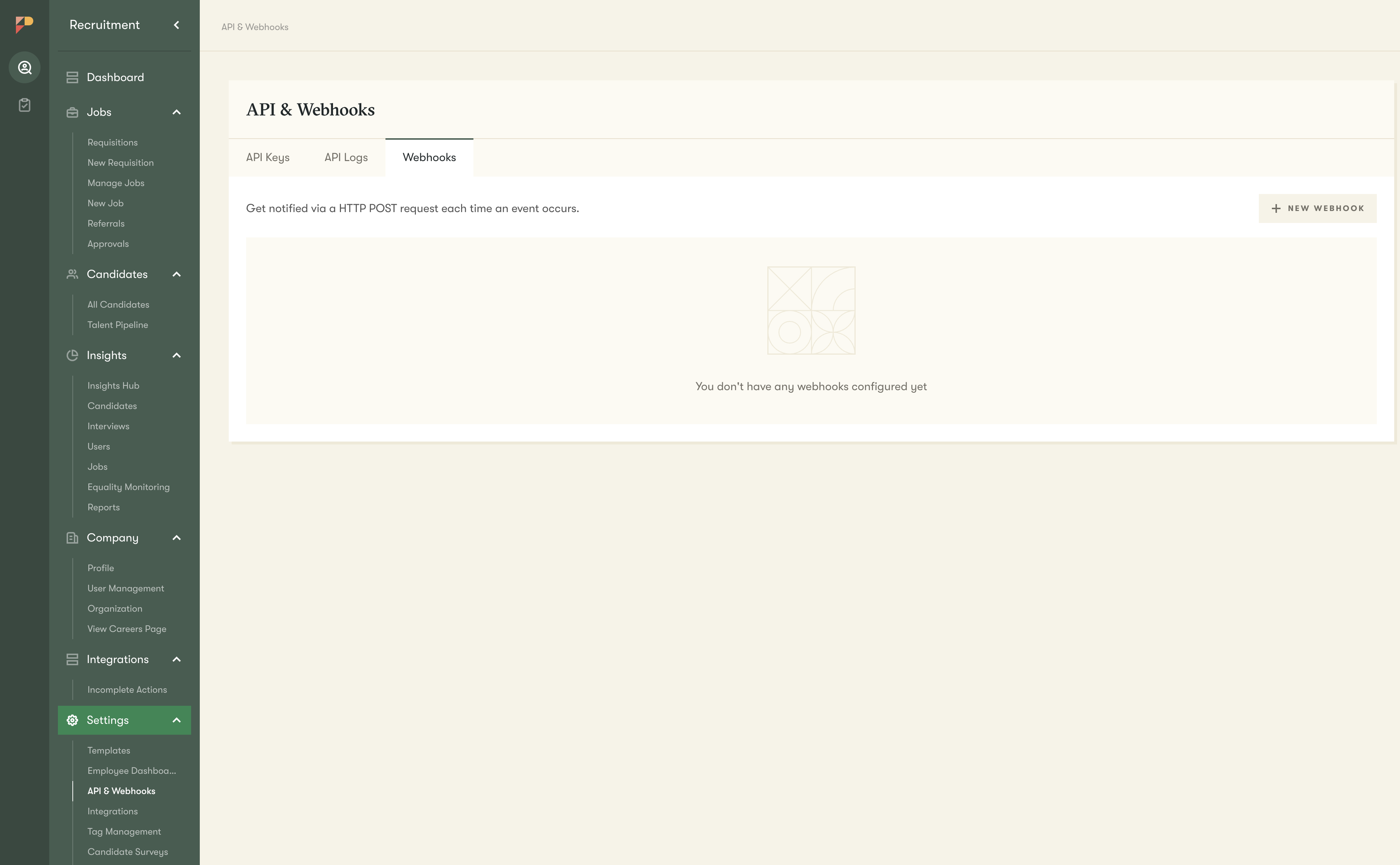
Once created, you can then manage which events you'd like to trigger a request. When the selected event occurs Pinpoint will send you a JSON payload to the endpoint you specified. Each event has its own custom payload, depending on the event type.
## List of events
* Applicant hired
* Application moved
* Application stage changed
* Background check completed
* Document request accepted
* Interview scheduled
* Job created
* Job deleted
* Job updated
* New application
* Offer accepted
* Onboarding completed
* Onboarding stage completed (v2)
* Onboarding workflow completed
* Requisition approved
* Requisition created
* Talent Pipeline candidate created
* User created on company
## Testing
You can send test events to your specified endpoint using the functionality on the individual webhook endpoint page. The exact headers and body of the webhook request are displayed so you know what request format to expect.
In order to test webhooks you can run either use a publicly available service such as [Beeceptor](https://beeceptor.com/), or you can forward requests to a local development server using services such as [Pagekite](https://pagekite.net/) or [ngrok](https://ngrok.com/).
## Responding to a webhook
A webhook is considered to have been successfully sent if the request is met with a HTTP 2XX response. Any response that's not in the 2XX range, including 3XX HTTP redirection codes, indicates that you did not receive the webhook successfully.
The timeout period for a request is set at five seconds. Any request that times out will also be considered as being unsuccessful.
Any unsuccessful request will be retried subject to the retry policy.
## Retry policy
In the event of an incorrect response or a failed request (due to timeout or network issues) Pinpoint will attempt a maximum of 10 retries over a 24 hour period. These retries are performed with *exponential backoff with jitter*.
The *exponential backoff* ensures that the delay between retries increases exponentially with every subsequent retry.
This *jitter* ensures that we include some delay randomisation, which helps prevents a large number of concurrent failed requests from being retried at the exact same time after a fixed delay. This delay randomisation more evenly spreads retries out within the retry window, allowing your system to more effectively process them.
### Persistent failures
If we exhaust all attempts to send a webhook request then the endpoint will be automatically disabled and we'll inform you via email. We'll also display the last error so that it's easier for you to work out how to resolve the issue.